Many entrances, one session · nsys-ai 0.3.0
nsys-ai
Open Nsight Systems profiles in the browser, terminal, or MCP and keep one evidence-first diagnosis moving through a shared session.




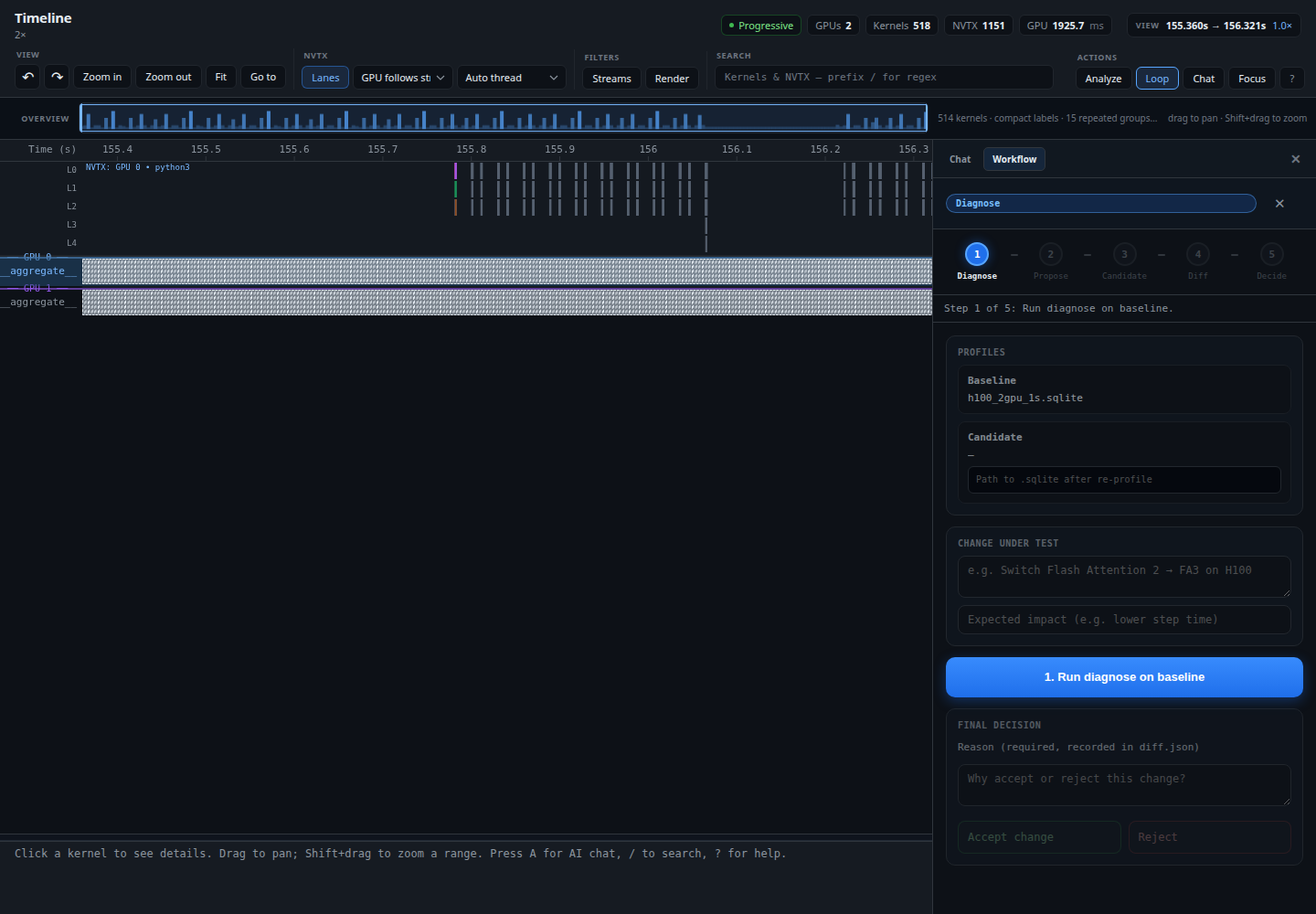
Open Nsight Systems profiles in the browser, terminal, or MCP and keep one evidence-first diagnosis moving through a shared session.
Get started in 60 seconds with a real GPU training profile
See all examples → examples/
Run the same handoff from CLI, Web, TUI, or MCP: deterministic evidence stays in one session while each surface does the job it is best at.
Run the default analysis pack and publish findings.
Turn a finding into a concrete, inspectable change.
Run the same workload and record a new RunSpec.
Compare before and after with canonical metric direction.
Accept or reject the change and keep the reason in session.
Default experience: multi-GPU browser viewer with progressive rendering, NVTX hierarchy bars, pinch-to-zoom, trackpad pan, and AI chat. No --trim required.
Perfetto-style horizontal timeline with per-stream kernel visualization, NVTX hierarchy bars, and time-cursor navigation. Zoom, pan, and bookmark positions.
Interactive NVTX hierarchy browser. Expand/collapse nodes, see kernel durations, filter by name or threshold, and navigate with vim-style keybindings.
Generate interactive HTML viewers, Chrome Trace Event JSON files for Perfetto, and flat CSV/JSON exports for scripting and sharing.
Search kernels and NVTX annotations by name, with hierarchical search support. Filter by GPU, time window, and parent NVTX scope.
Compute vs NCCL overlap, collective breakdowns by type, and automatic training iteration detection for distributed workloads.
Optional planner and synthesizer over registered evidence: ask a question, inspect the skills that grounded it, and resume the answer from a shared session.
Move findings, proposals, RunSpecs, diffs, and decisions between CLI, Web, TUI, and MCP with one inspectable directory.
Comprehensive guides for Nsight Systems profiling
Choose the surface that matches the question: hierarchy, timeline, or before-and-after change.
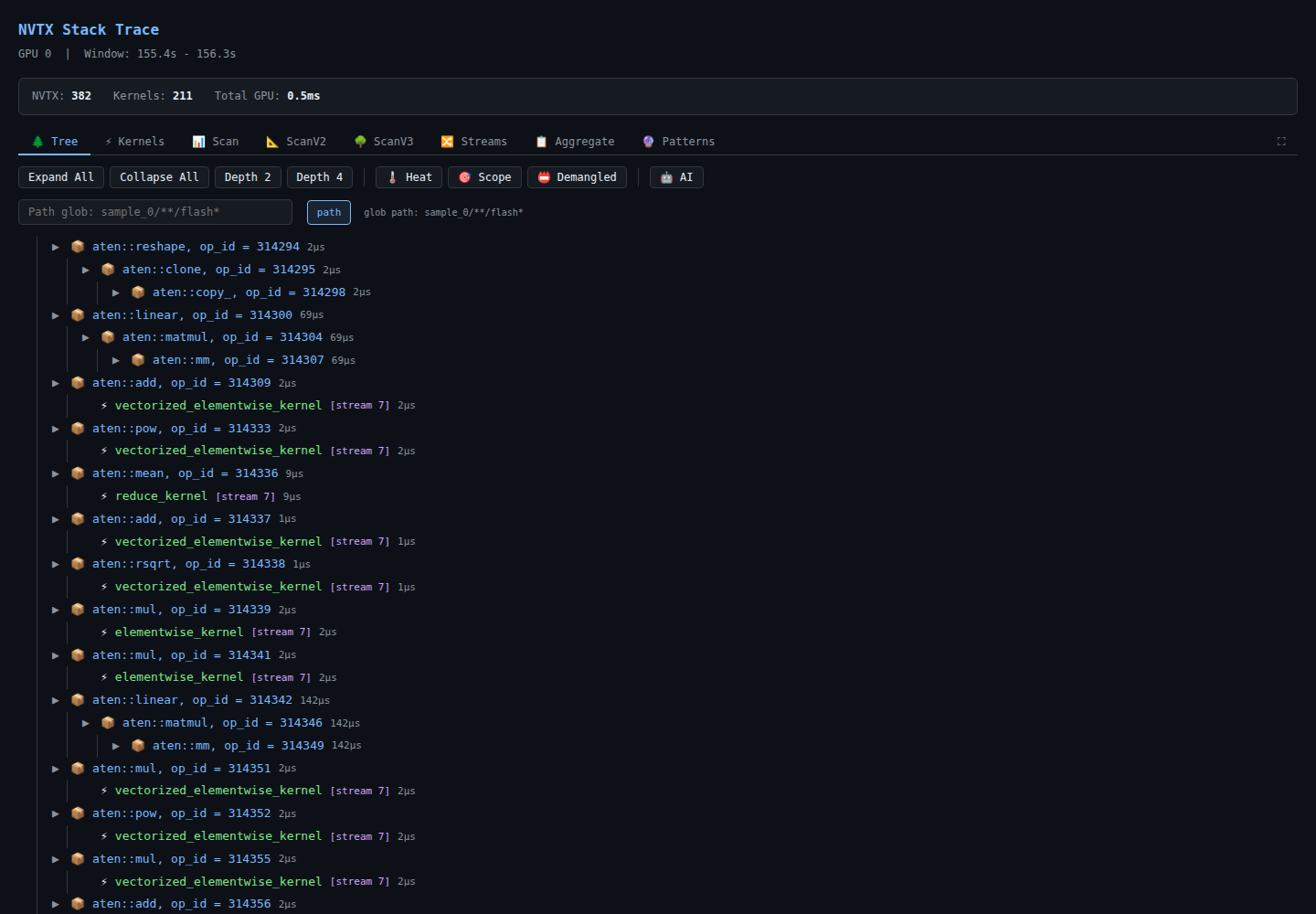
Browse nested ranges and the kernels attributed to each node.
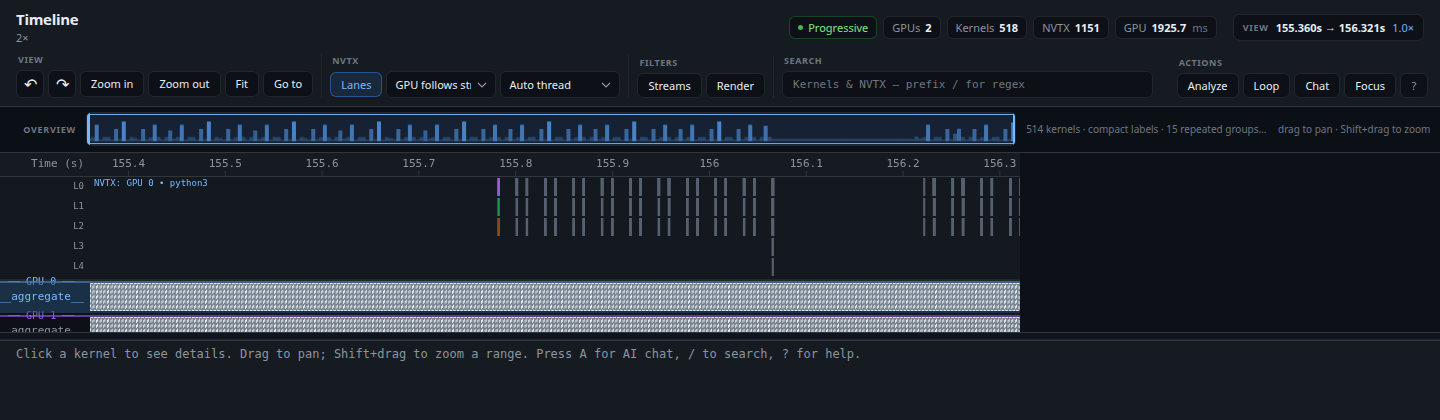
Follow streams, kernels, NVTX lanes, search, and session-backed workflow state.
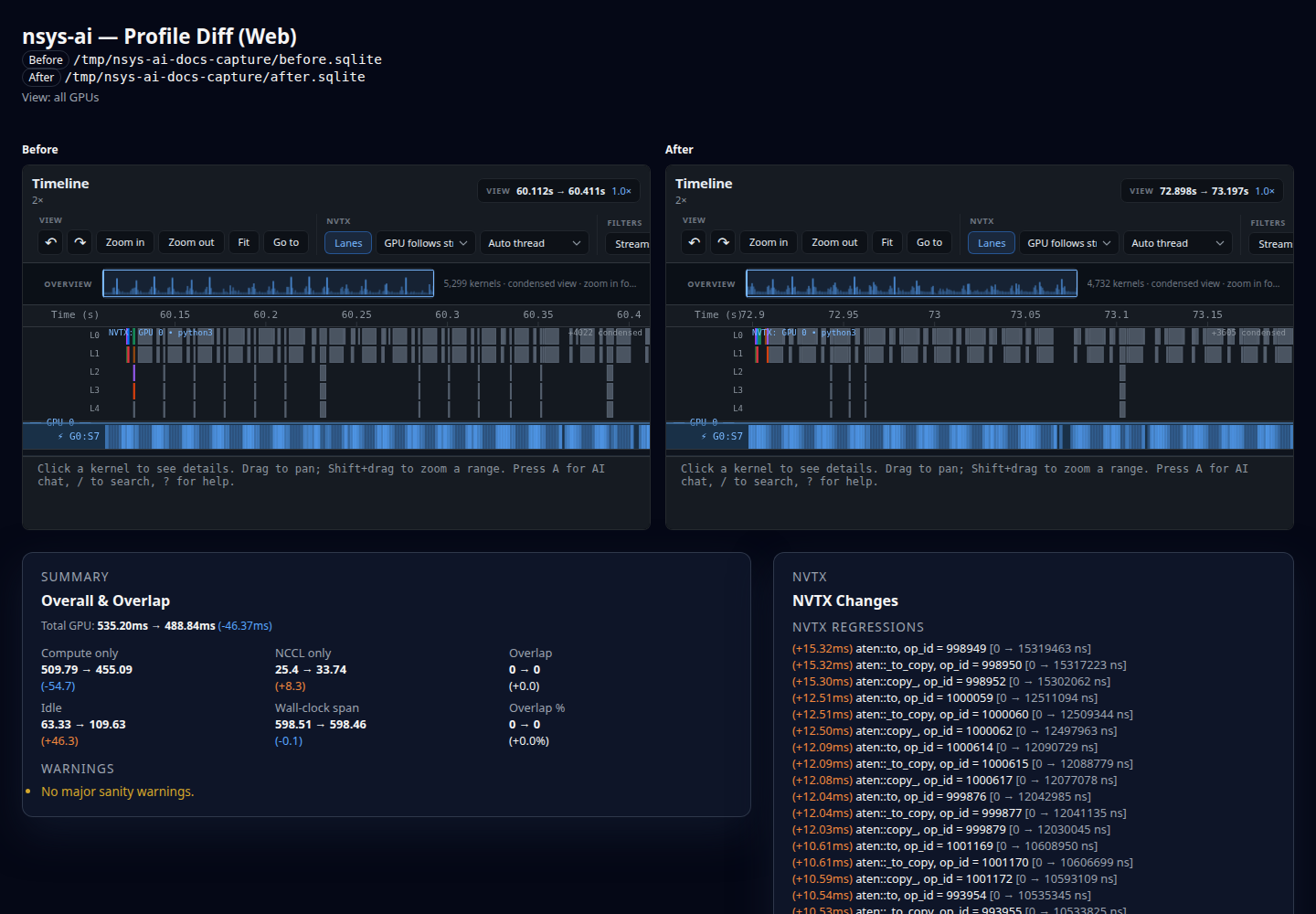
Inspect a real before-and-after result with verdict, comparability, regressions, and improvements.
Interactive browser for the Nsight SQLite schema — tables, foreign keys, example queries, and cross-highlighted concepts. Open right in your browser.
Pre-built interactive HTML exports showing NVTX call stacks — full trace and single-iteration views with expandable nodes.